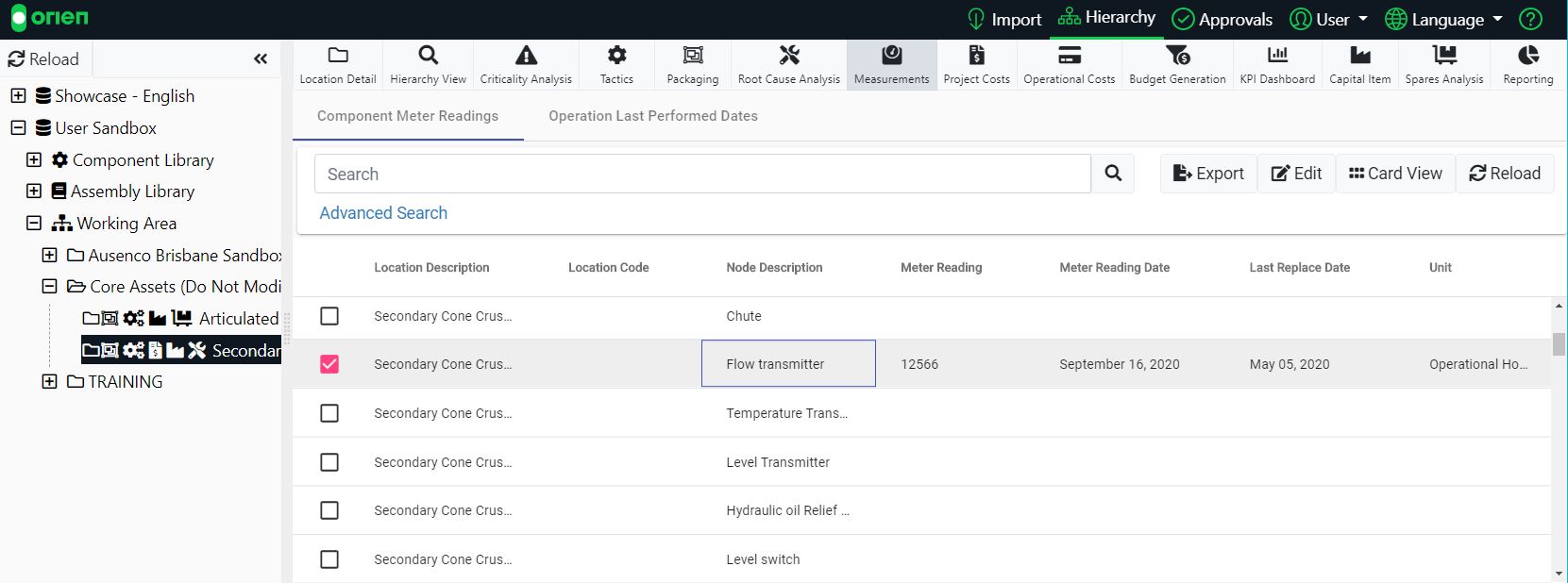
Measurements uses the component structure at the location you have select to enable you to insert Last Replace Date, Meter Readings, Meter Reading Date and Meter Reading Unit. Measurements also enables you to insert Last Performed Dates onto an Operation located at this location.
To assign a Measurement:
- Choose an item from the Hierarchy and then select the Measurements module.
- To insert a date, double click on the cell of Last Replace Date or Meter Reading Date (in Grid View).
- You will be presented with a calendar drop-down that will allow you to select the date.
- To insert a Meter Reading, double click on the cell and type in your value.
- Finally, to add a Meter Reading Unit, double click on the cell and a drop-down will present the options to assign.
- Remember to Save your work.
The process of adding measurements is also demonstrated in the video tutorial below: