Root Cause Analysis (RCA) mode provides a tool for documenting the analysis carried out. RCA is a method of problem solving that assists to identify the root causes of faults or problems.
The RCA module contains 3 features:
- RCA Diagram: Block diagram set up to record a detailed description of each cause of problem.
- RCA Timeline: Input different events that lead up to an incident.
- Root Cause Actions: Describe actions for each root cause identified in the analysis.
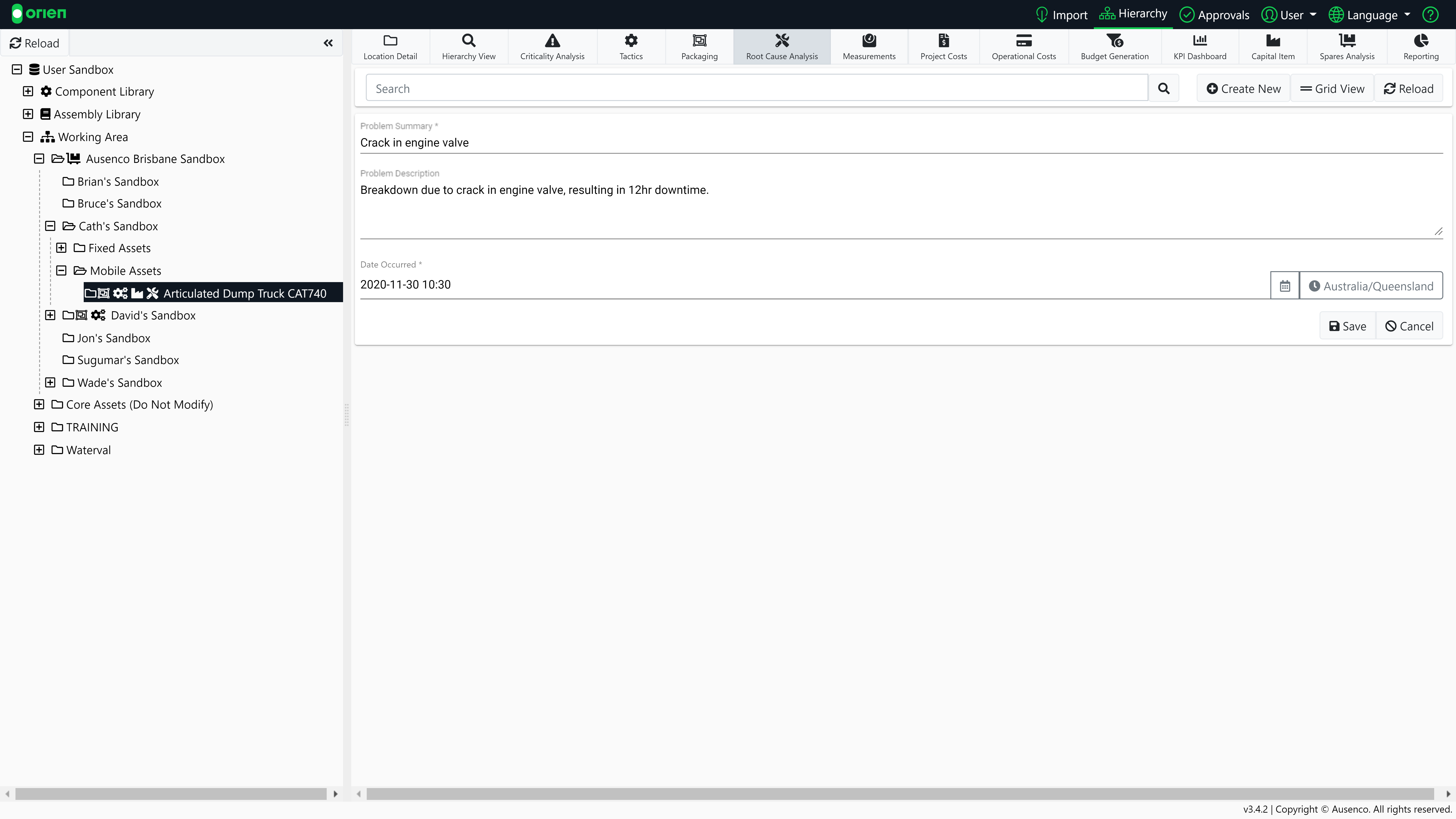
To create an RCA, choose the appropriate item in your hierarchy, select the Root Cause Analysis module and then the Create New button. Enter the details and then then Save your RCA.
Note
Please note this must be an item that is not located in a component library or assembly library.
Once saved, you can continue your analysis by adding further information. Let's start with the Root-Cause Diagram.
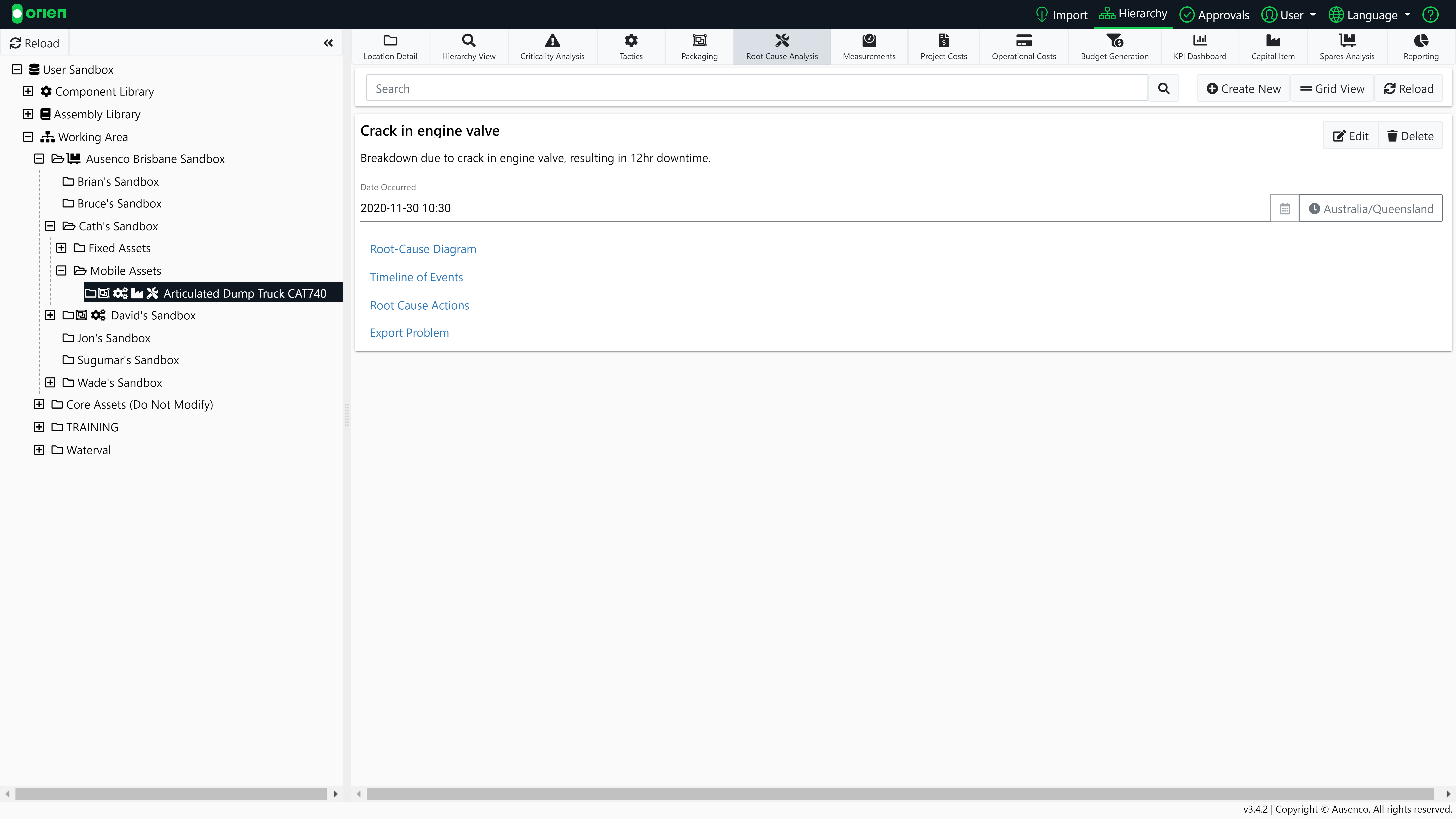
Root Cause Diagram
The RCA diagram allows you to easily record detailed descriptions of each problem and the associated cause/s. You can create branching structures of events and causes.
- To create a new entry into the RCA Diagram, select the button.
- Input your information and select the button.
- You can rearrange entries by using the button. Select the new location in the diagram for your entry by clicking on the button.
- During editing you can revert changes by using the button.
- You can delete entries using the button.

Timeline of Events
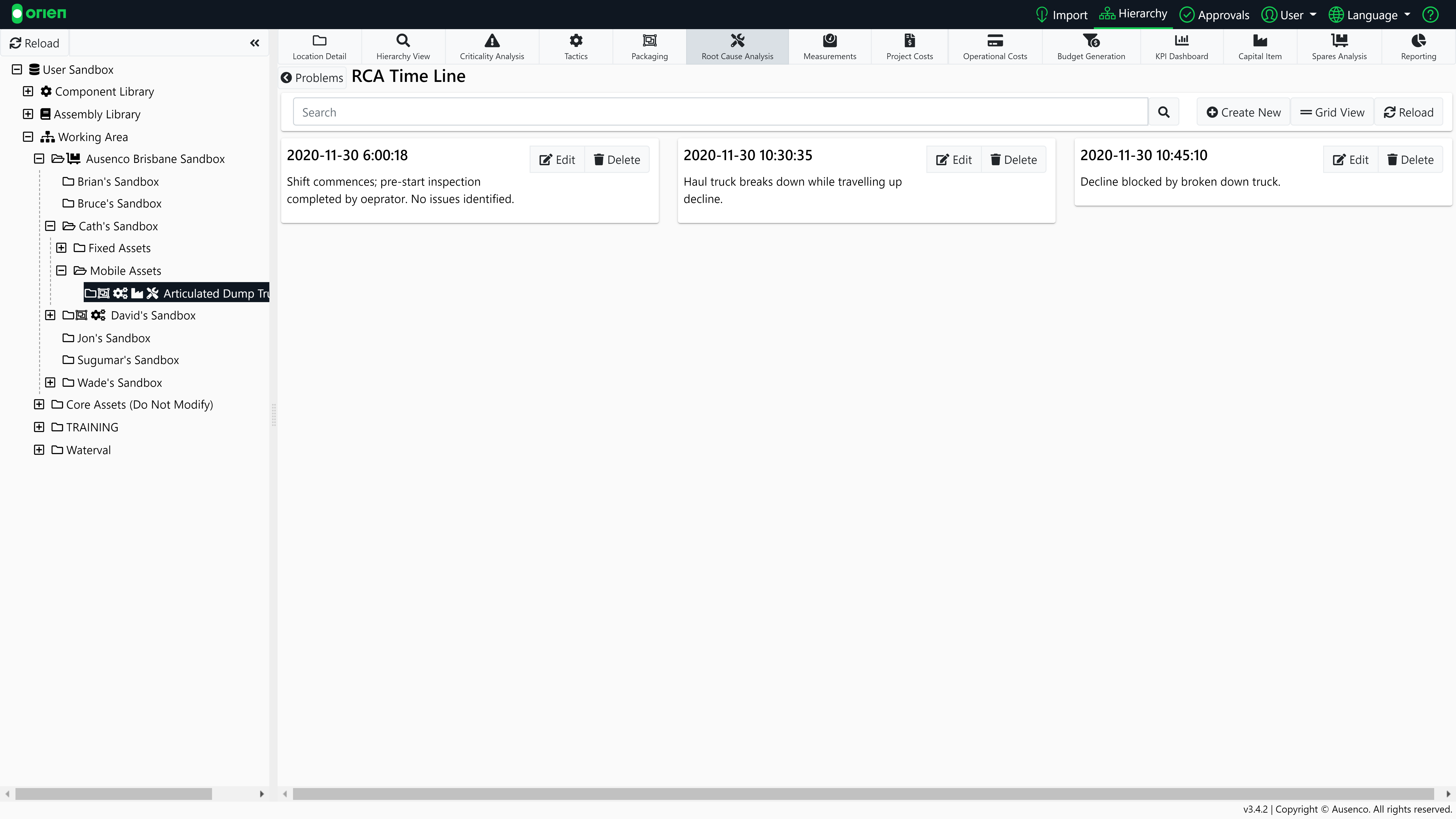
The RCA timeline allows a user to input the different events that led up to an incident. A user can input multiple events with a description and date. This will allow a user to visually see a list of events.
Root Cause Actions
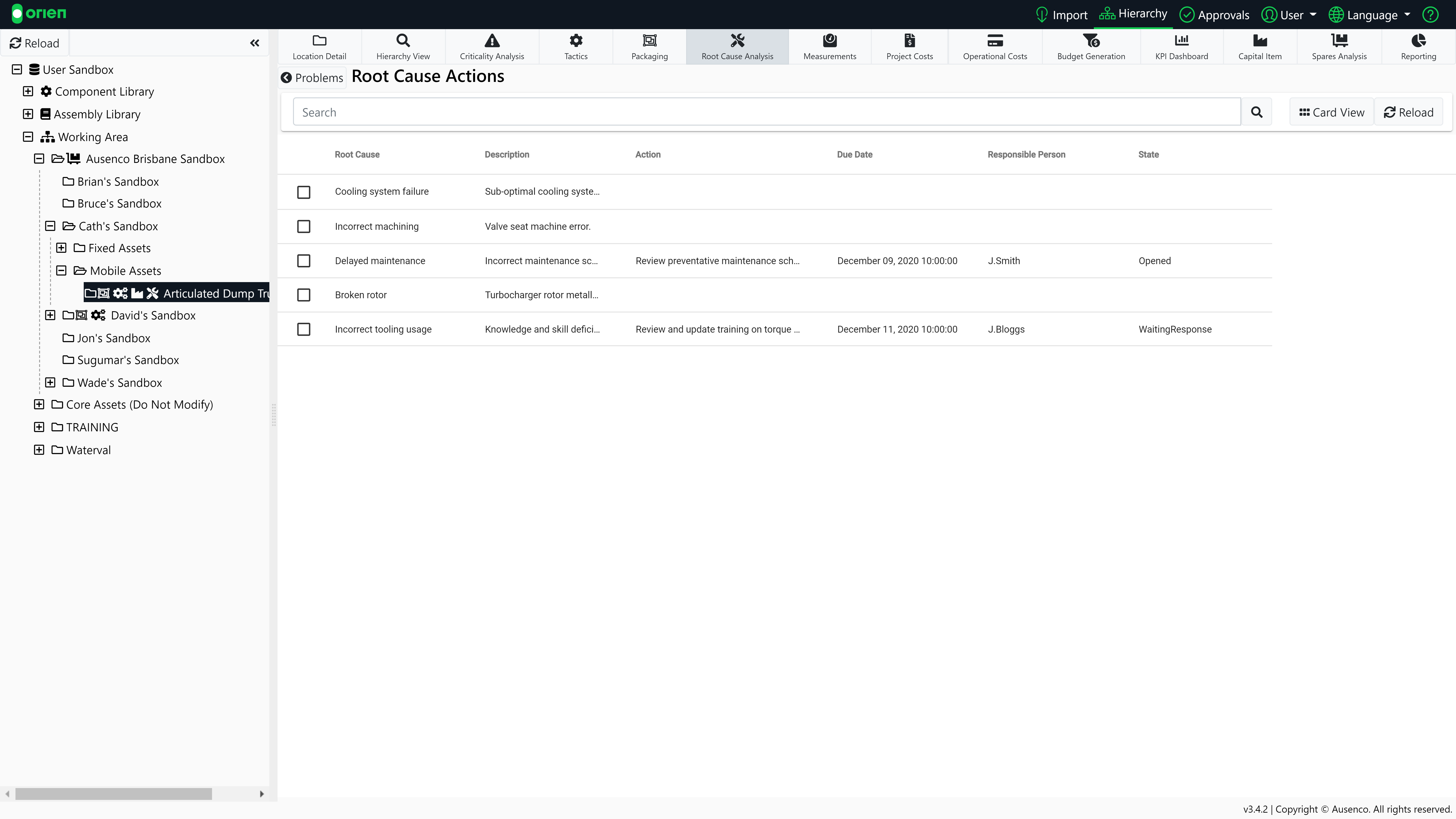
Each root cause typically requires an action to remedy it. An action resulting from a root cause analysis may be corrective (corrects immediate causes) or preventive (addresses preconditions and latent failures to prevent recurrence). Regardless, all actions should be appropriately prioritized, organized, automated, and analyzed.
The process of creating a Root Cause Analysis is also demonstrated in the video tutorial below: