Prior to assigning a Maintenance Strategy, they must be configured in accordance with organisational requirements. There most common strategies are:
- Suppressive/suppression strategies
- Sequential strategies
The differences between these types, and how to configure each of them is discussed in more detail below.
Suppressive Maintenance Strategies
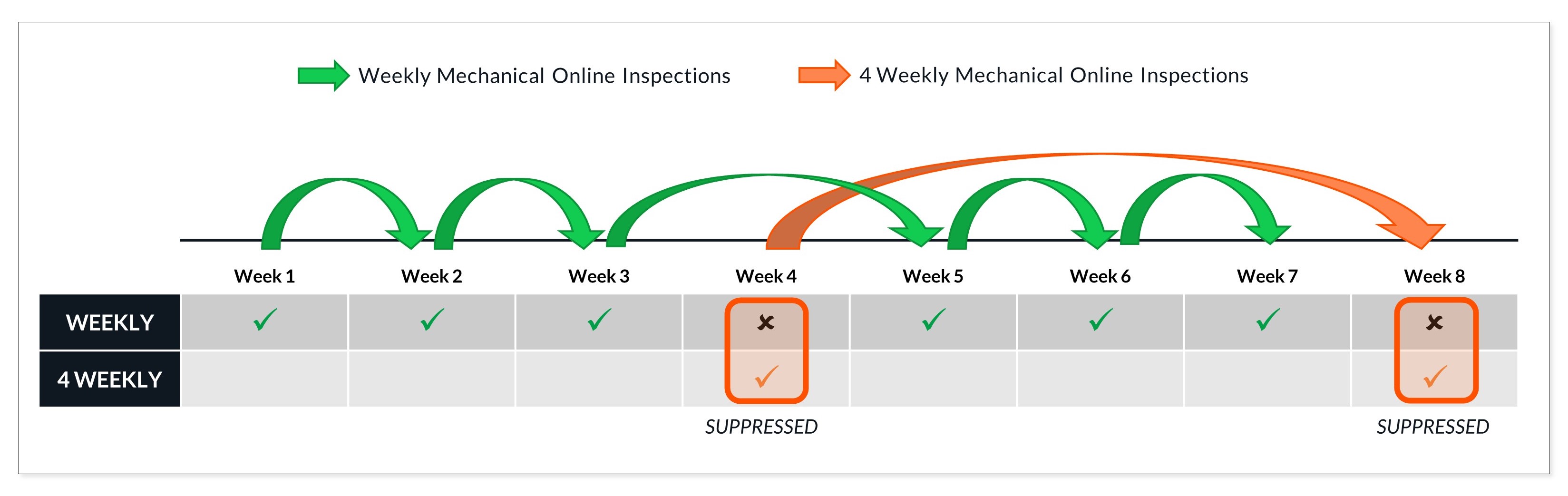
Also known as series maintenance strategies, these are used when:
- Tasks are performed at different frequencies; AND
- The frequencies are all divisible by the higher frequency task.
This is demonstrated in the image below.
Configuring suppressive maintenance strategies in Orien involves several steps. Let's review these in some more detail.
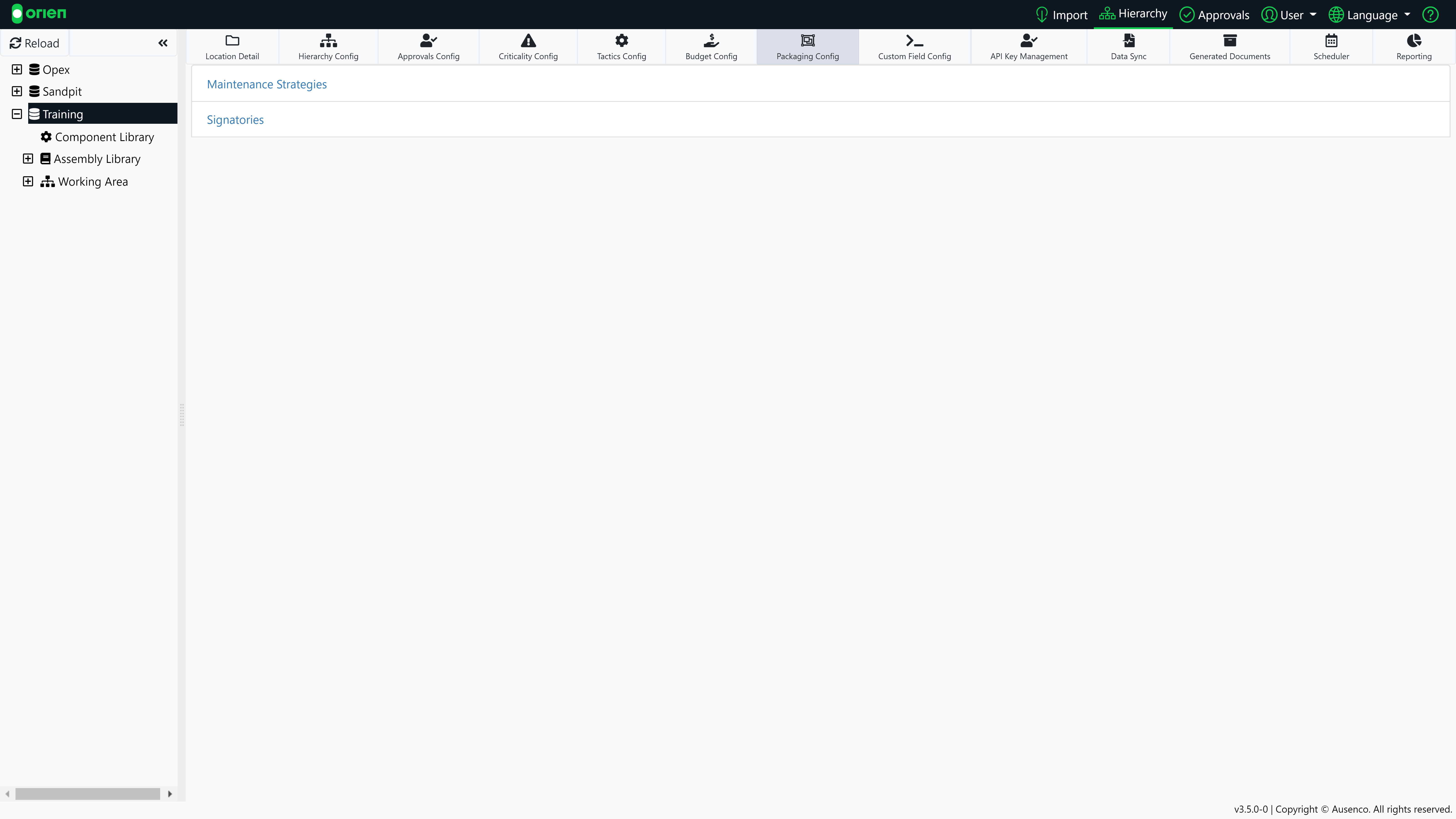
- Choose your database from the hierarchy and then select the Packaging Config button. Now select Maintenance Strategies.
- If other maintenance strategies have already been configured, you will see them in the list. Select Create New to configure a new strategy.

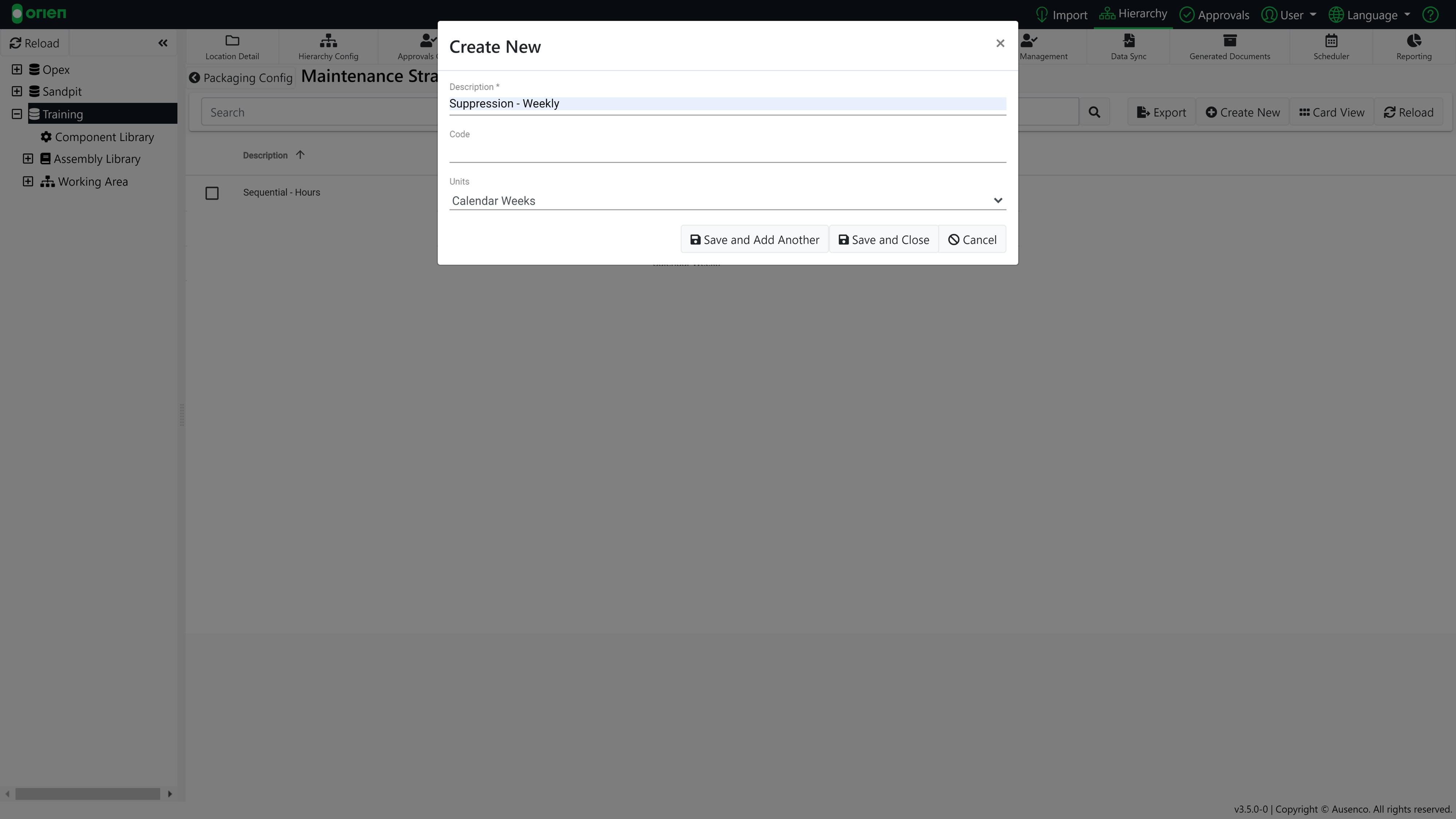
- Enter a description for your maintenance strategy and select the appropriate unit of measurement from the drop-down (i.e. calendar hours, days, weeks; operational hours; etc.). You can Save and Add Another or Save and Close.
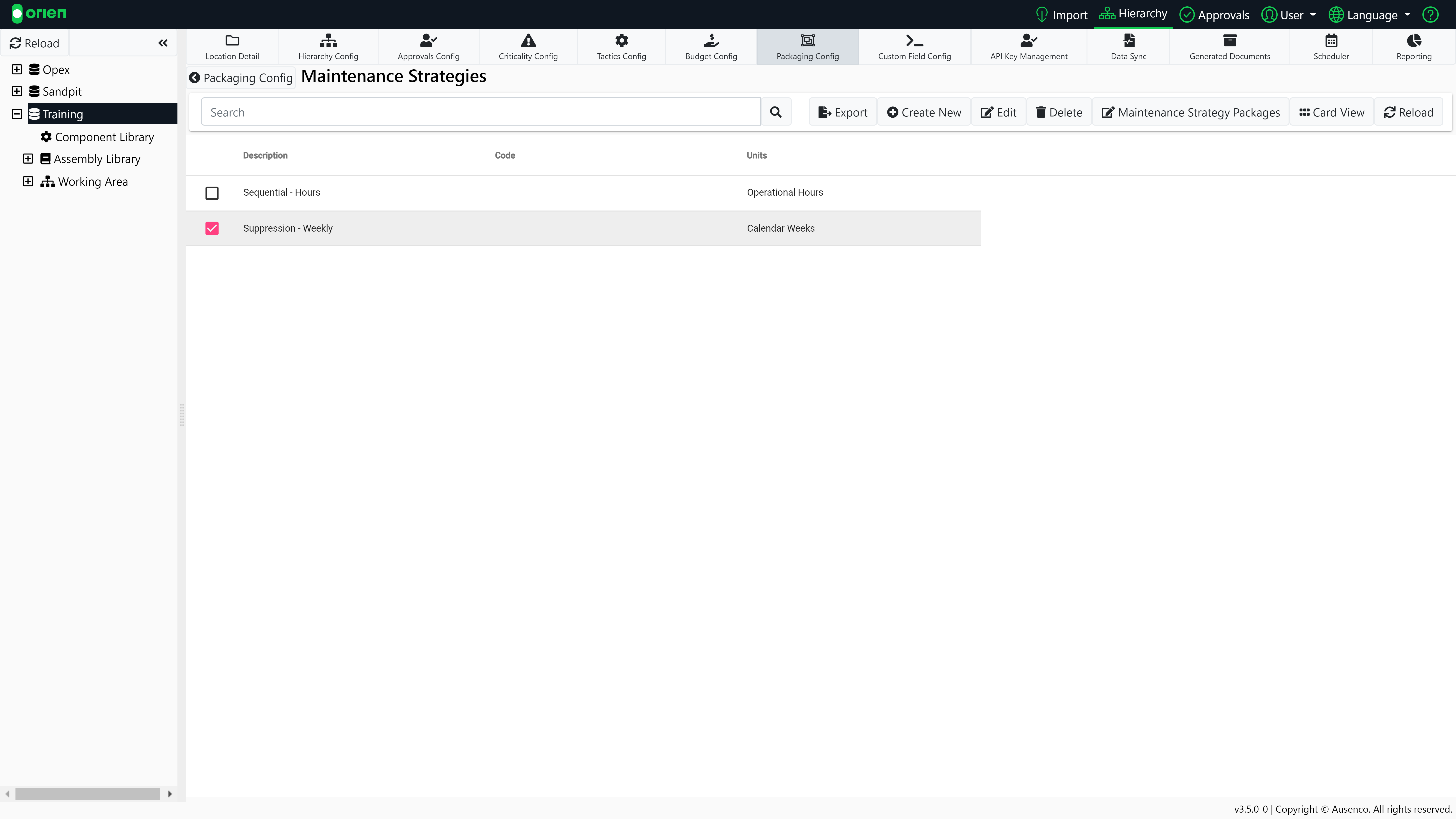
- The next step is to create the suppression packages for your maintenance strategy. Select the new strategy, and then the Maintenance Strategy Packages button.
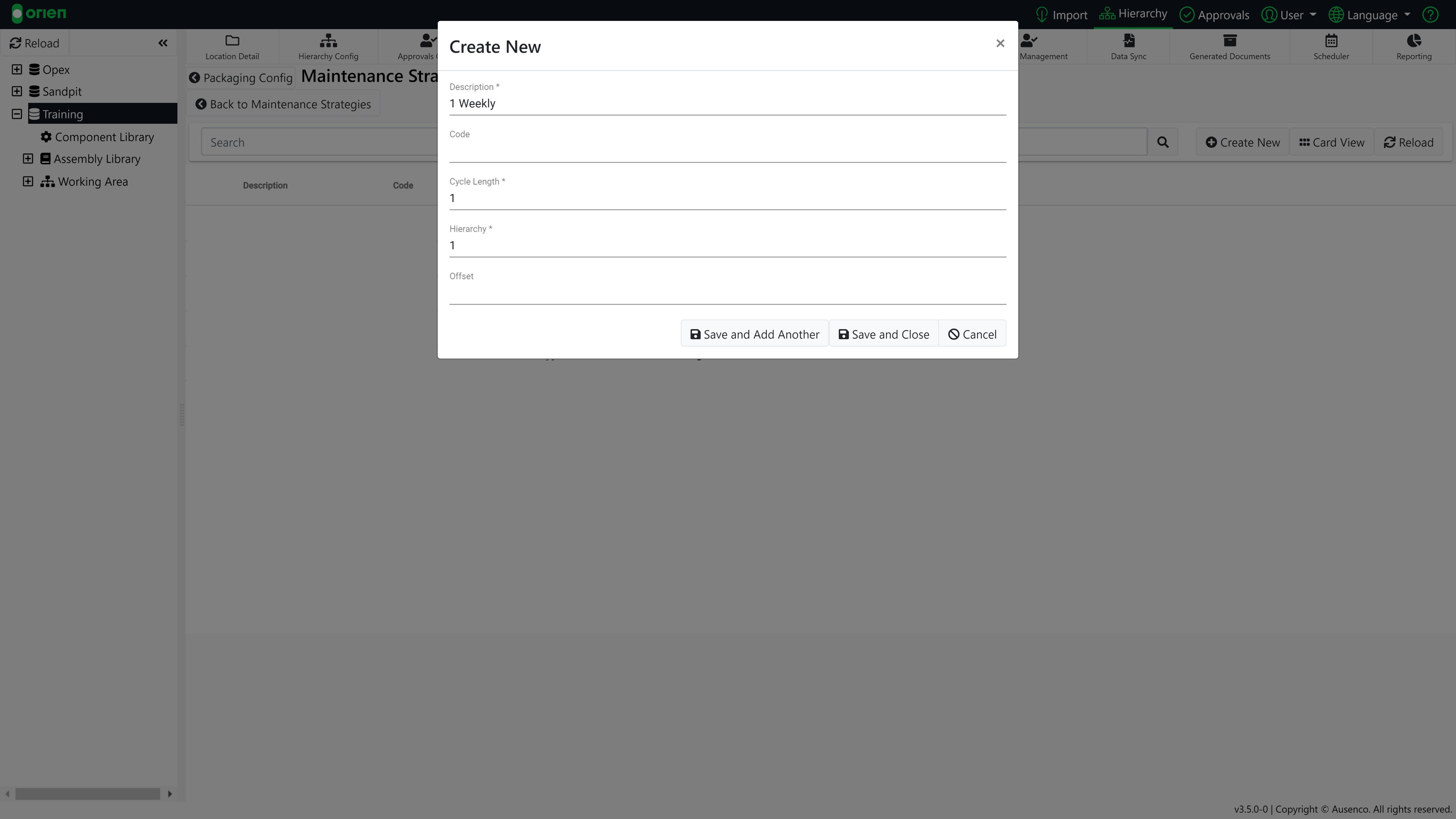
- Select the Create New button and enter the details for your strategy package:
- Description: The name to describe your package (this will be visible in Task List Builder when assigning a package to an operation).
- Cycle Length: The frequency the package will operate at.
- Hierarchy: The priority of the package. The larger hierarchy number will always take precedence over a lower hierarchy number.
- Offset: This allows you to move the occurrence of the cycle length. This commonly occurs when you want to setup a reoccurring cycle length that is not divisible by your largest cycle length.
- To continue adding more strategy packages, Save and Add Another; or Save and Close if you are finished.
The process of creating suppressive maintenance strategies is also demonstrated in the video tutorial below:

Sequential Maintenance Strategies
The primary difference between suppressive and sequential maintenance strategies is in the work packages, where:
- The Tasks are performed at different frequencies; BUT
- The frequencies are NOT divisible by the higher frequency task.
As an example, the higher frequency work package tasks may be included in the lower frequency ones, but not all the lower frequency work packages align. Therefore, a suppressive maintenance strategy is not appropriate.
The figure below is an example of sequential packaging (1 week, 4 week, 6 week work packages), where the 4 week and 6 week work packages may include the 1 week package; however the 4 week and 6 week cannot be combined.

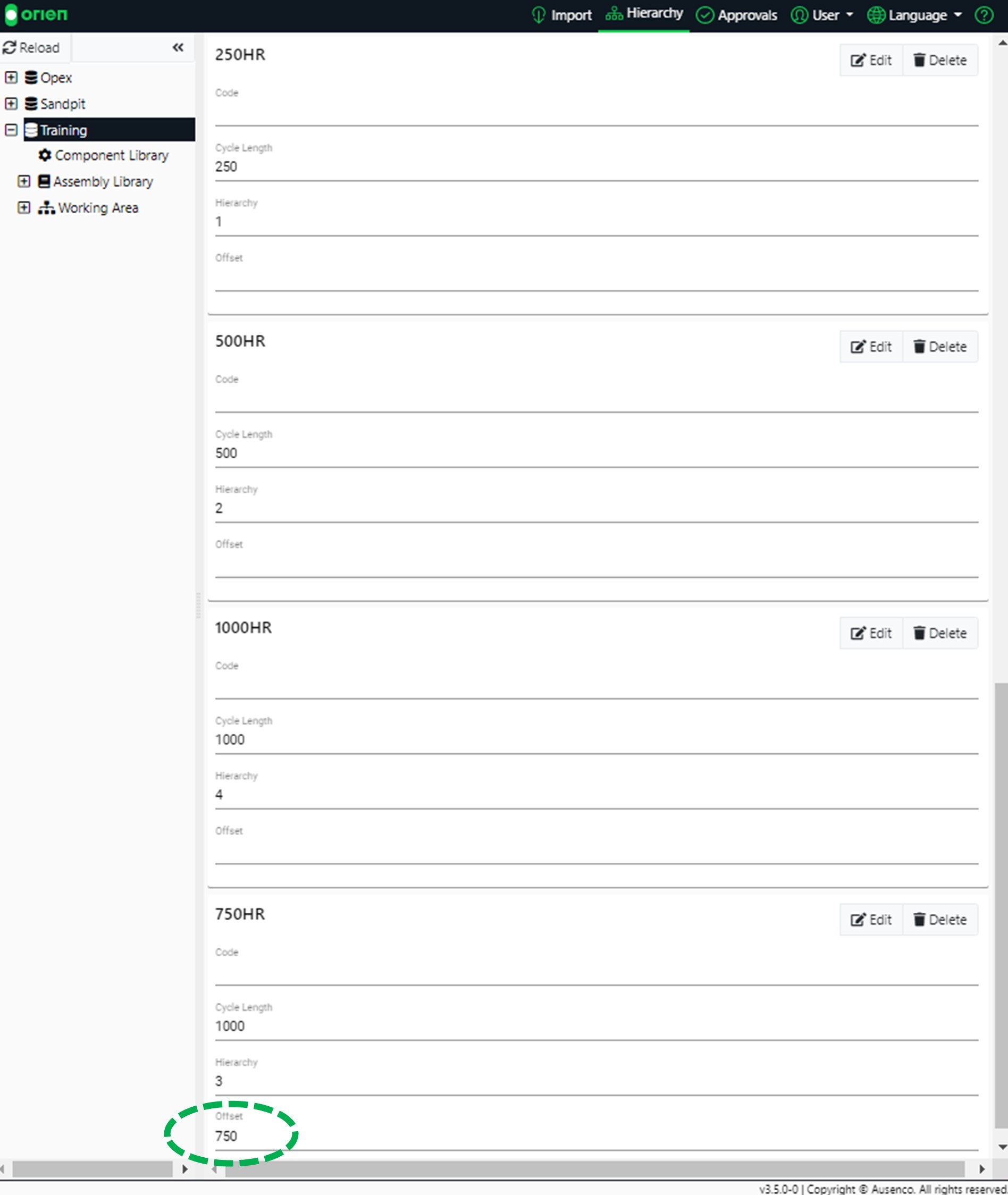
To create a sequential sequence, you need to create an offset from the highest Cycle Length. The offset will set the Task List to be performed at that cycle time.
As shown in the figure below, the highest Cycle Length is 1000. However, 750 is not divisible into 1000 evenly. If Cycle Length is set at 1000, we can offset it (750) so the Task is performed at 750HR. This creates an even frequency across the Sequential Maintenance Strategy.
The process of creating sequential maintenance strategies is almost identical to that detailed above for suppressive maintenance strategies - other than the use of the offset field. This demonstrated in the video tutorial below: